Displays cellular and wifi usage history information intuitively using charts.
- Daily history data usage: this is only available for premium users
- Show daily data usage for a month: the data usage is shown on top of the bar chart in MB.
- Swipe left or right: to go back to previous month or forward to next month.
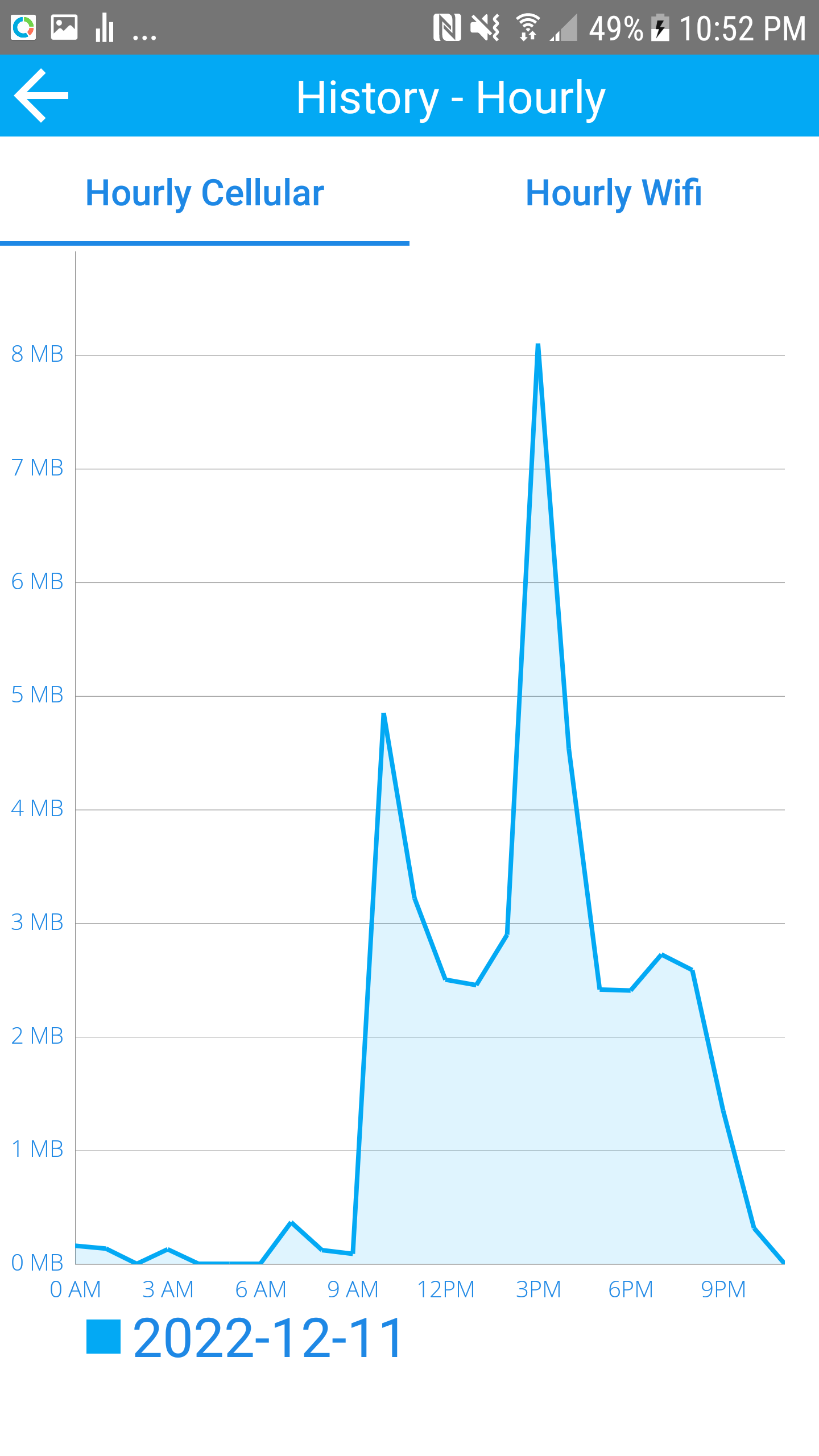
- Tap on a bar chart: to show hourly usage for this day. This will allow you to drill down when the data usage is used on a hourly basis.
- Cycle history data usage: this is only available for premium users
- Show cycle data usage for 12 cycles: the data usage is shown on top of the bar chart in MB.
- Swipe left or right: to go back to previous 12 cycles or forward to next 12 cycles.
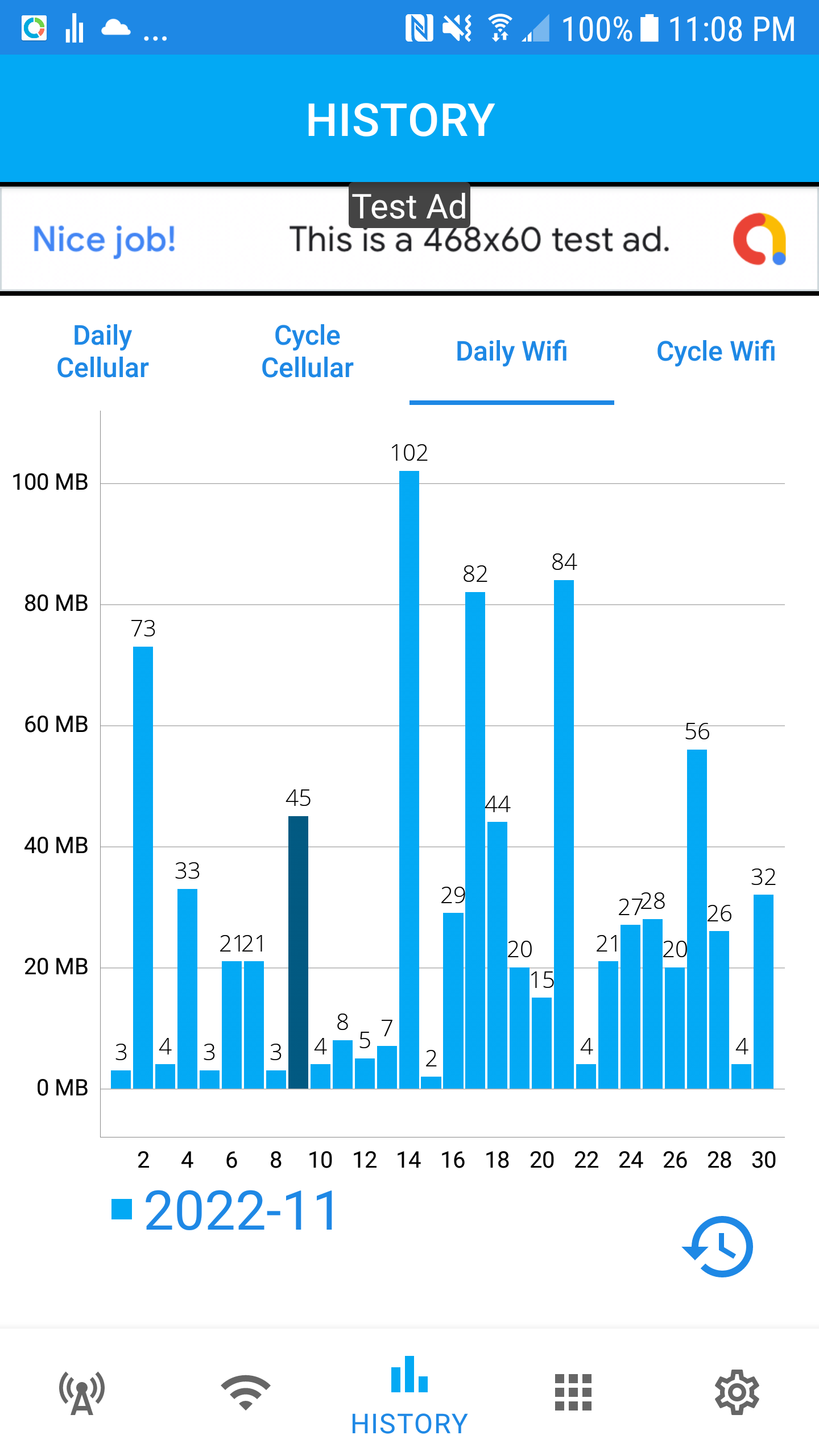
- Daily history wifi usage: this is only available for all users
- Show daily wifi usage for a month: the wifi usage is shown on top of the bar chart in MB.
- Swipe left or right: to go back to previous month or forward to next month.
- Tap on a bar chart: to show hourly usage for this day. This will allow you to drill down when the wifi usage is used on a hourly basis.
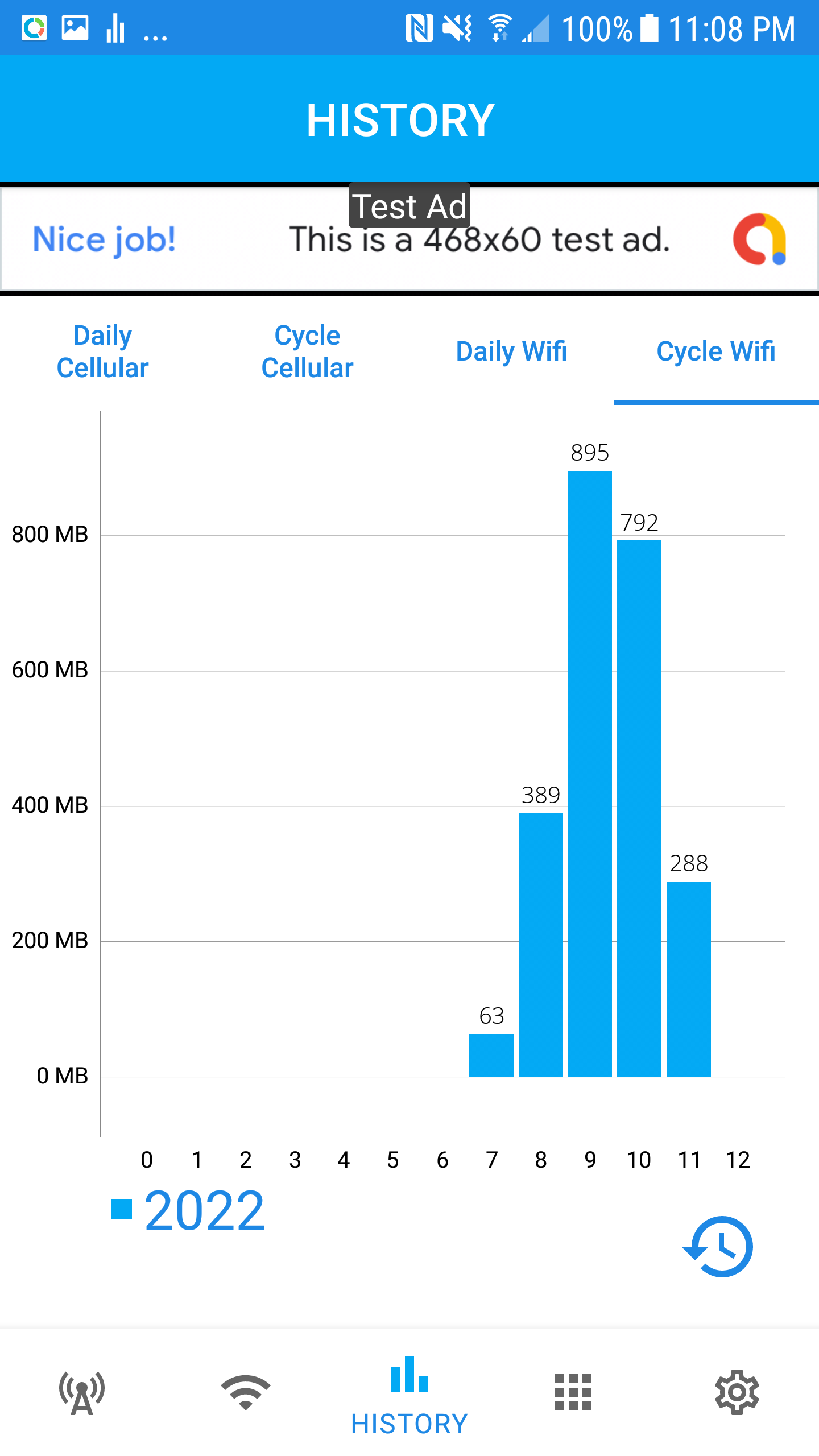
- Cycle history wifi usage: this is only available for all users
- Show cycle wifi usage for 12 cycles: the wifi usage is shown on top of the bar chart in MB.
- Swipe left or right: to go back to previous 12 cycles or forward to next 12 cycles.
Overview
History data is used to analyze when the data is used most. Cycle data usage history will show you how much data used for each cycle. Daily data usage history show you the data usage for each day in a cycle. You can also drill down to hourly usage to find out when data usage occured the most.